
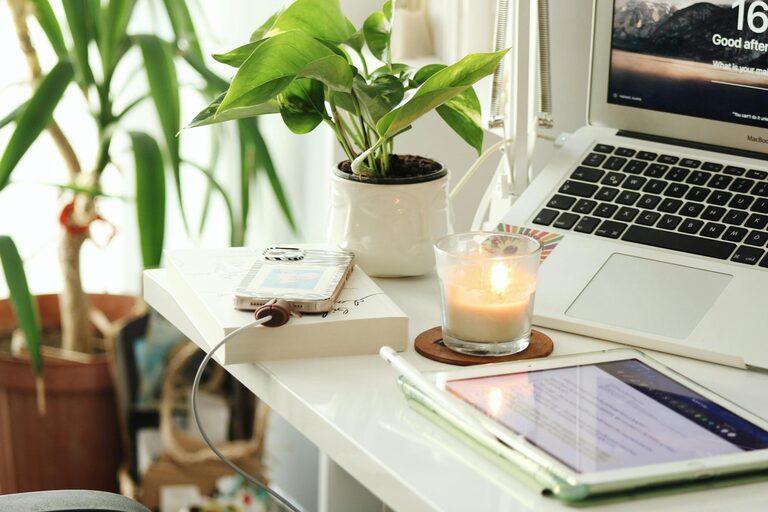
Creating a home office that is both cozy and productive is essential for maintaining focus and comfort while working from home. Whether you’re new to remote work or setting up a dedicated area in your home, the right environment can make a big difference in your daily routine. Here are some helpful tips to design a workspace that boosts your productivity while keeping you comfortable.
Choose the Right Location
Selecting the perfect spot for your home office is the first step. Ideally, pick a quiet area that receives plenty of natural light. Natural light helps reduce eye strain and can enhance your mood, making work feel less like a chore.
If possible, avoid high-traffic areas in your home where distractions are common. A corner in your bedroom, a spare room, or even a space near a window can serve as a great location.
Invest in Comfortable Furniture
Comfort plays a vital role in productivity. An ergonomic chair and a sturdy desk should be your top priorities. Look for chairs with adjustable height and good lumbar support to avoid back pain during long working hours.
If you prefer standing while working, consider a sit-stand desk. These desks allow you to alternate between sitting and standing, which can improve circulation and reduce fatigue.
Organize Your Workspace Efficiently
A clutter-free space promotes focus and efficiency. Use storage solutions like shelves, drawers, and organizers to keep documents and office supplies in order. Labeling boxes and folders can help you find things quickly without wasting time.
Keep only essential items on your desk to maintain a clean working environment. This helps minimize distractions and makes your space more inviting.
Personalize Your Space
Adding personal touches makes your home office feel cozy and welcoming. Decorate with photos, plants, or artwork that inspire and motivate you. Plants, in particular, not only add color but also improve air quality and reduce stress.
Consider using soft textures like a cozy throw blanket or a comfortable rug underfoot. These elements can make your workspace feel more like a relaxing retreat.
Control Lighting and Screen Glare
Proper lighting is key to reducing eye strain and maintaining concentration. Combine natural light with adjustable task lighting such as a desk lamp. Position your monitor perpendicular to windows to cut down on screen glare.
Adjust screen brightness and use blue light filters if you work late hours, helping protect your eyes and promote better sleep.
Minimize Noise and Distractions
Noise can break your concentration, so it’s important to create a peaceful environment. Use noise-canceling headphones or play soft background music if it helps you focus.
If possible, add soft furnishings like curtains or rugs, which can absorb sound and reduce echoes in your workspace.
Establish a Routine and Boundaries
Maintaining a work-life balance is a challenge when working from home. Establish regular working hours and take scheduled breaks to recharge.
Communicate your schedule to family or housemates to minimize interruptions during your work periods. When the workday ends, step away from your home office to signal the transition to personal time.
Incorporate Technology Wisely
Make sure your technology supports your workflow. A reliable internet connection, quality headset, and any necessary software tools can help improve your efficiency.
Keep cables organized using clips or cable sleeves to avoid a tangled mess, which can be both distracting and unsafe.
Keep Healthy Habits in Mind
Working long hours at home can lead to sedentary habits. Remember to stretch regularly, stay hydrated, and take short walks if possible.
Adding a small water bottle or a healthy snack station in your office can encourage better habits throughout the day.
—
By following these tips, you can create a home office that feels both comfortable and productive. A well-designed workspace not only supports your work but also enhances your overall well-being, making the experience of working from home more enjoyable and effective.