
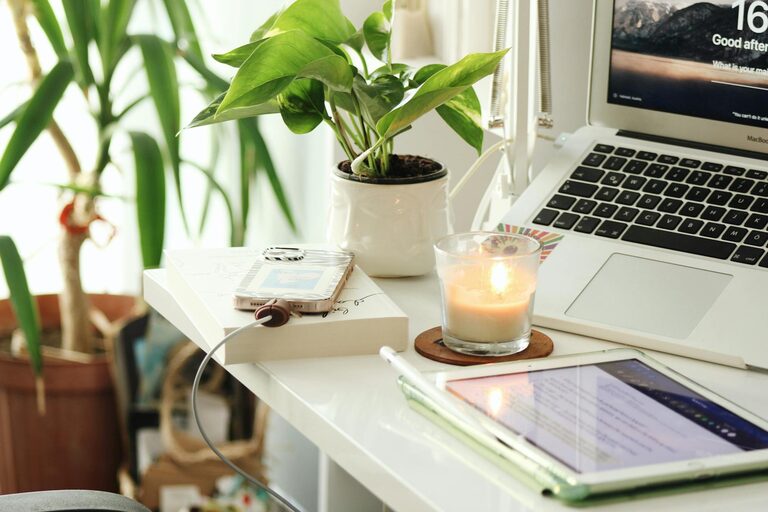
Creating a comfortable and efficient workspace at home is essential for anyone looking to boost productivity and maintain a healthy work-life balance. Whether you work remotely full-time or occasionally need a quiet spot for focused tasks, your home workspace should inspire both comfort and efficiency. Below are practical tips to help you design a cozy and productive home office that fits your needs.
Choose the Right Location
Finding the best spot in your home for your workspace is the first step.
– Consider natural light: Aim for a space near a window to benefit from daylight, which can improve mood and focus.
– Minimize distractions: Select a quiet corner away from high-traffic areas such as the kitchen or living room.
– Think about space: Even a small nook can work, but make sure it has enough room for your essentials and some movement.
Invest in Comfortable and Functional Furniture
Your furniture plays a big role in comfort and productivity.
– Ergonomic chair: Choose a chair that supports your back and encourages good posture.
– Appropriate desk height: Your desk should allow your arms to rest comfortably at a 90-degree angle.
– Flexible setups: Consider adjustable desks for sitting or standing options, which can help reduce fatigue.
Organize Your Workspace for Efficiency
An orderly space can help clear your mind.
– Use storage solutions: Shelves, drawers, and organizers keep supplies within reach but out of sight.
– Declutter regularly: Make it a habit to tidy up your desk at the end of each day.
– Cable management: Use clips or ties to keep cords neat and prevent tangling.
Personalize with Cozy Elements
Adding personal touches can make your workspace inviting.
– Soft textiles: Cushions, throws, or rugs add warmth and comfort.
– Plants: Indoor plants improve air quality and create a calming environment.
– Artwork or photos: Display items that inspire or relax you, but avoid overcrowding.
Control Lighting and Reduce Eye Strain
Proper lighting is crucial for both comfort and productivity.
– Layered lighting: Combine natural, ambient, and task lighting to avoid harsh shadows.
– Adjustable desk lamp: Use a lamp you can position to reduce glare on screens.
– Screen settings: Adjust your computer’s brightness and contrast, and consider blue light filters.
Establish Routines and Boundaries
Your workspace is more effective when paired with good habits.
– Set work hours: Define specific times to start and end work to separate professional and personal life.
– Create signals: Use headphones or a closed door to minimize interruptions.
– Take breaks: Step away regularly to stretch or walk; it helps maintain focus and reduce fatigue.
Utilize Technology to Stay Organized
Tools and apps can support your workflow.
– Task management apps: Use planners or digital to-do lists to keep track of projects.
– Noise-cancelling headphones: These can help block distracting sounds.
– Reliable internet: Ensure a stable connection to avoid interruptions during virtual meetings.
Maintain Cleanliness and Air Quality
A clean, fresh environment makes working more pleasant.
– Regular cleaning: Dust and wipe surfaces frequently, especially electronics.
– Ventilation: Open windows or use air purifiers to keep air circulating.
Final Thoughts
Creating a cozy and productive home workspace takes intentional design and consistent habits. By choosing the right spot, investing in comfortable furniture, organizing effectively, personalizing your area, and managing lighting and routines, you can build a space that supports your best work. Remember, small changes add up and can make all the difference in how you feel and perform each day.