
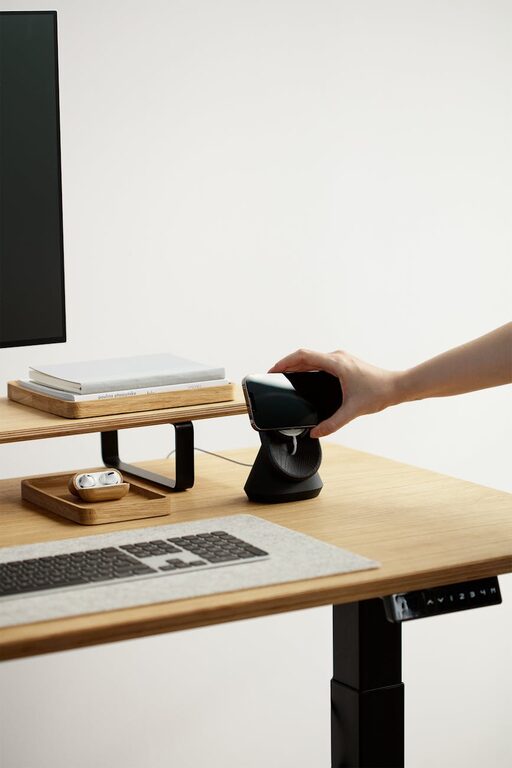
Creating an effective home office space is essential for anyone working remotely or managing tasks from home. A well-designed workspace can improve focus, increase productivity, and make your workday more enjoyable. Whether you have a dedicated room or just a corner of your living space, these tips will help you set up a functional and comfortable home office.
Choose the Right Location
The first step in creating an effective home office is selecting the best spot in your home. Consider these factors:
– Natural Light: Try to position your desk near a window to benefit from natural daylight. It helps reduce eye strain and lifts your mood.
– Quiet Environment: Choose a place away from household noise, traffic, or other distractions to maintain concentration.
– Privacy: Depending on the type of work you do, privacy might be important. Choose a space that allows you to work without interruptions.
If space is limited, consider flexible setups like a fold-away desk or a small corner with a dedicated chair.
Invest in Ergonomic Furniture
Comfort is key when you spend hours at your desk. Ergonomic furniture supports good posture and reduces physical strain.
– Ergonomic Chair: Select a chair with adjustable height, lumbar support, and comfortable cushioning.
– Desk Height: Your desk should allow your forearms to rest parallel to the floor when typing.
– Monitor Placement: Set your monitor at eye level about an arm’s length away to avoid neck and eye strain.
Remember, standing desks or sit-stand converters are great options if you want to alternate positions throughout the day.
Organize Your Space for Efficiency
A clutter-free workspace helps clear your mind and keeps you focused. Organize your home office with these ideas:
– Storage Solutions: Use shelves, drawers, or filing cabinets to keep documents and supplies tidy.
– Cable Management: Tidy cables with clips or covers to prevent tangling and create a cleaner look.
– Desk Essentials: Keep only necessary items on your desk to avoid distractions.
Labeling storage and using baskets or boxes can make it easier to find things quickly.
Optimize Lighting
Good lighting reduces eye strain and creates a pleasant working environment.
– Natural Light: As mentioned, use daylight as much as possible.
– Task Lighting: Add a desk lamp with adjustable brightness to illuminate your work area.
– Ambient Lighting: Use overhead lights or floor lamps to avoid harsh contrasts and shadows.
Choosing light bulbs with a color temperature of around 4000K (cool white) can help keep you alert.
Personalize Your Workspace
Adding personal touches makes your home office a place where you enjoy spending time.
– Decor: Use artwork, plants, or photos that inspire you.
– Color Scheme: Choose colors that make you feel calm or energized, depending on your preferences.
– Comfort Items: A cozy rug, cushions, or an essential oil diffuser can enhance comfort.
Balance personalization with professionalism, especially if you attend video calls frequently.
Minimize Distractions
Staying focused at home can be challenging. Here are some ways to reduce distractions:
– Set Boundaries: Inform family or housemates of your working hours.
– Use Headphones: Noise-canceling headphones can block out background noise.
– Limit Digital Distractions: Turn off non-essential notifications and use apps that promote concentration.
Scheduling regular breaks can also help maintain productivity without feeling overwhelmed.
Maintain Good Air Quality and Temperature
A comfortable climate impacts productivity and well-being.
– Ventilation: Open windows or use fans to ensure fresh air circulation.
– Temperature Control: Use heaters or air conditioning to keep the room at a comfortable temperature.
– Indoor Plants: They can improve air quality and add a calming presence.
Pay attention to humidity levels as well, and consider a humidifier if the air is too dry.
Set a Routine and Keep It Separate
Working from home can blur the lines between work and personal life.
– Set Hours: Define a consistent start and finish time each day.
– Create Rituals: Begin your workday with small routines, like making coffee or stretching.
– Physical Separation: When possible, close the door or put away work materials after hours.
This helps your mind recognize when it’s time to focus and when it’s time to relax.
Keep Technology Updated and Reliable
Reliable technology is crucial for smooth workflow.
– Internet Connection: Ensure you have a stable, high-speed internet connection.
– Equipment: Keep your computer, printer, and other devices in good working order.
– Backup Power: Consider an uninterruptible power supply (UPS) to protect against outages.
Regular software updates and backups will help you avoid technical problems during work.
—
By thoughtfully designing and organizing your home office, you create a space where work feels less like a chore and more like an opportunity to thrive. Implement these tips step-by-step to build an environment that supports your best work every day.